Advanced Fatigue Manager

Spot fatigue risk.
Before the next shift.

Advanced Fatigue Manager is Unibuild’s fatigue management software for UK contractors. It reads recorded hours from your timesheets, adds travel at both ends, and checks rest, consecutive shifts and nights against your policy. The planner and the operative are alerted, and the decision is recorded.

  • Unlimited users
  • No charge per alert
  • One monthly fee

Supports your fatigue risk assessment. The decision on fitness for work stays with your team.

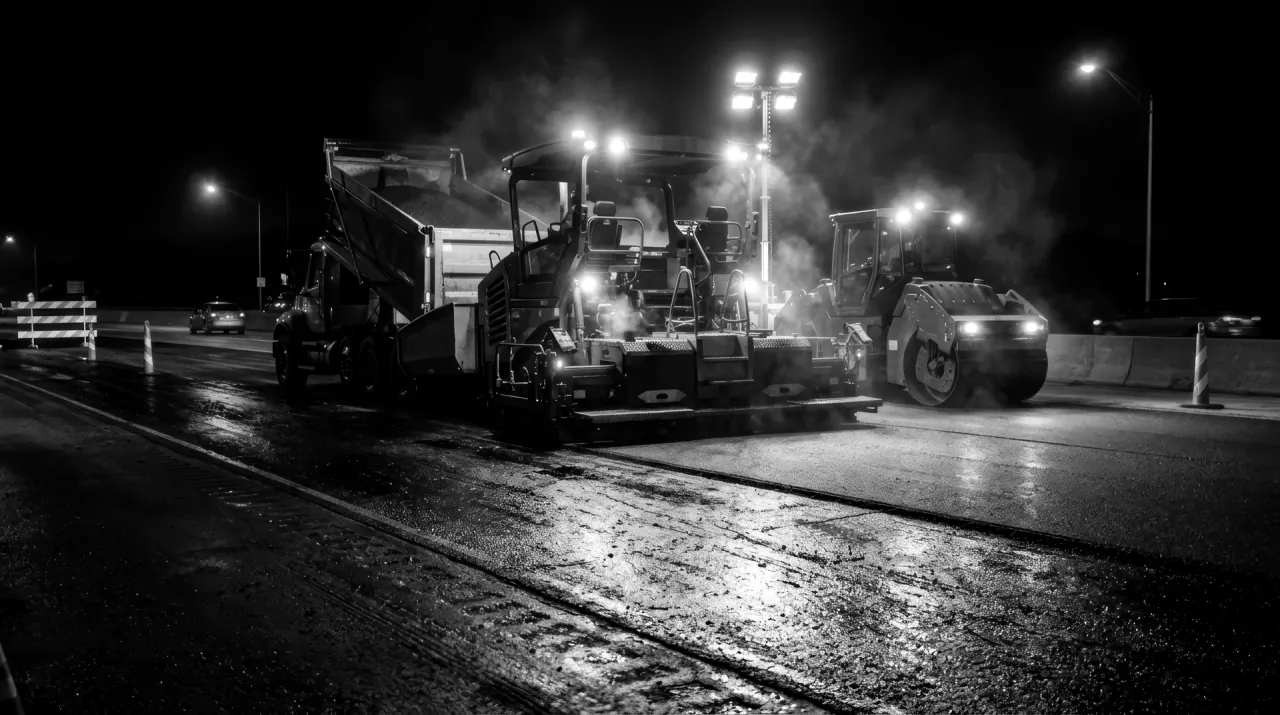
A paving train and roller working a carriageway at night under floodlights
The hours behind the risk

A 12-hour shift.
A 15-hour day.

With 90 minutes of travel each way, six 12-hour shifts add up to 72 hours on site and 90 hours door to door. Keeping both totals visible gives a planner a fuller picture.

Explore an example week

Adjust the figures to see the difference travel makes. This illustration is separate from the live platform. To score a week shift by shift, with start times and the published risk weightings, use the fatigue calculator.

Assumes identical shifts and journeys each day. On-site time includes breaks; door-to-door time is not a statutory working-time calculation or a fatigue score.

Illustrative totals
15hDoor to door per day
72hOn site per week
90hDoor to door per week

On siteTravel

Travel adds 18 hours across this week. Review the pattern against your policy, including breaks, night work and recovery time.

How it works

From the gate scan
to a recorded decision.

The timesheet supplies the recorded hours. Your team sets the limits and decides what action to take when a working pattern needs attention.

  1. 01

    Record

    Each QR clock-in records the day. Travel and any additional work go in the same record.

  2. 02

    Check

    Compare shift length, door-to-door time, rest, consecutive shifts and nights against your rules.

  3. 03

    Act

    Notify the people who can change the plan. The operative receives an app notification too.

  4. 04

    Evidence

    Keep the warning, named decision and override reason with the hours behind them.

A spreadsheet of hours against Advanced Fatigue Manager
The checkSpreadsheetAdvanced Fatigue Manager
Source of hoursKeyed in after the weekEach QR clock-in, as it happens
Door to doorTravel usually left outTravel added at both ends
Rest between shiftsWorked out by hand, if at allChecked against your minimum rest
Consecutive nightsCounted when somebody looksCounted from the same clock-ins
The warningFound after the shiftSent to the planner and operative before it
The evidenceA copy of the sheetThe warning, the decision and the override reason, kept together
Inside the module

One record.
Clearer decisions.

Use the hours already captured in Unibuild to support planning, notify your workforce and prepare reports.

Hours & travel

Count the whole journey

Show worked and door-to-door totals together. Recorded travel at both ends helps establish the interval before the next start.

  • Timesheet corrections update the fatigue record
  • Recorded call-outs and weekend work included
Your policy

Set limits for your work

Configure shift length, travel-inclusive totals, minimum rest, rolling hours and consecutive day or night shifts.

  • Rules by company, role or project
  • Separate approaching-limit and breach alerts
Planning

See the status beside the name

Fatigue status appears in the labour run planner, beside each person you are assigning to the next job.

  • Approved leave and rest days visible
  • A reason recorded for a planner's override
People

Tell the office and operative

Send alerts to named recipients by email and in the platform, with WhatsApp where configured. Operatives receive push notifications in your firm’s own staff app. It is published on the App Store and Google Play under your company’s name and icon.

  • Android and iOS
  • Notification delivery and read status recorded
Night work

Keep nights in view

Review night hours, consecutive nights and the recorded recovery interval. See the pattern when a person moves back to days.

  • Night hours shown separately
  • Health assessment dates tracked in reminders
Audit trail

Keep the decision with the record

Every amendment is kept with who made it and when. The original timesheet entry and any override reason stay with it.

  • Every amendment kept in the history
  • Reports for previous date ranges
Reports you can hand over

The hours.
The warning. The response.

Export a PDF on your letterhead or a spreadsheet for analysis. Use the same underlying hours that feed the alerts.

What a fatigue report contains

Time
Worked hours, door-to-door totals and recorded rest intervals.
Pattern
Consecutive shifts, night hours and nights worked.
Exceptions
Limits approached or crossed, and who was notified.
Response
The recorded decision, override reason and amendment history.

Choose the view you need

  • Per person: one operative across a chosen date range.
  • Per project: the people recorded on a site, including subcontract and agency operatives.
  • Exceptions: the patterns that need follow-up.
  • Management: warnings and recorded responses across projects and months.
See the reports in a demo

Bring your reporting requirements. We can walk through the working module and discuss your format.

Built for contractors

Different trades.
Different working patterns.

Long journeys, night work, call-outs and consecutive shifts can create fatigue risk across construction. The controls should match the work and the people doing it.

Rail & infrastructure

Possessions, travel and safety critical work. Support your fatigue arrangements with recorded hours and decisions; check the applicable Network Rail standard and contract requirements.

Highways & surfacing

Night closures, changing locations and consecutive nights. Keep journeys and recovery intervals visible when planning the team.

Scaffolding, roofing & facades

Early starts, physical work and time at height. Look at the full day when reviewing the next assignment.

Groundworks & demolition

Plant operations and work that overruns. Make recorded overtime part of the next planning decision.

M&E & site services

Shutdowns, standby rotas and call-outs. Capture additional hours so an ordinary-looking rota does not hide a long working week.

Principal contractors & fleet operators

Include people who scan your gates. Establish how work elsewhere is declared, and review driving records separately where drivers' hours rules apply.

UK guidance & duties

Set the policy.
Keep the evidence.

Software supports your arrangements, and compliance stays with the employer. These references cover Great Britain. Northern Ireland has separate legislation. Confirm the rules, exceptions and contract requirements that apply to your work.

Managing fatigue risk

Employers must assess and control fatigue risks. HSE explains that staying within working-time rules is not enough on its own. Consider workload, breaks, sleep, shift patterns and recovery alongside recorded hours.

HSE: fatigue at work

Working time & rest

For most adult workers, the framework includes a 48-hour average working week, normally over 17 weeks; 11 hours' daily rest; weekly rest; and a 20-minute break when working more than six hours. Exceptions and compensatory rest can apply. A weekly-hours opt-out does not remove the duty to manage fatigue.

GOV.UK: weekly hours Rest breaks

Night workers

The general limit is an average of eight hours in each 24-hour period. For night work involving special hazards or heavy physical or mental strain, the limit is eight hours in any 24 hours. Health assessments must be offered. Check the applicable exceptions and reference period.

GOV.UK: night working hours

Rail safety critical work

ROGS regulation 25 requires arrangements to manage fatigue in safety critical work. Set rules against the current standard and client requirements, including NR/L2/OHS/003 where applicable. Unibuild supports your own fatigue risk management arrangements, which remain the basis of your compliance.

ORR: managing rail staff fatigue

Construction duties

Under CDM 2015, regulation 13 covers principal contractor duties; regulation 15 covers contractor duties. Site records support planning and monitoring.

HSE: principal contractors Contractors

References checked . Follow the official guidance for definitions, exceptions and updates.

Before you decide

Asked before
the first alert.

The practical details of introducing Advanced Fatigue Manager to your firm.

Does it count travel and rest, not just hours on site?
Yes. Travel is tracked separately on the timesheet and added back at both ends, so a 12-hour shift with 90 minutes each way shows as a 15-hour day door to door. Recorded travel sets the rest interval before the next start. Rolling hours, consecutive shifts and nights are counted from the same clock-ins, with night hours shown separately. Nobody keys hours in for it: it reads the scans you already take.
Who is warned, and when?
The people who can change the plan, before the next shift. Approaching-limit and breach alerts reach named recipients by email and in the platform, with WhatsApp where configured. The operative gets a push notification in your firm’s own staff app. Fatigue status also shows beside each name in the labour run, so the planner sees it while assigning the next job.
Who decides whether somebody works, and what record is kept?
Your team decides. Advanced Fatigue Manager supports your fatigue risk assessment, and the judgement on fitness for work stays with the employer. Each warning is kept with the named decision, any override reason and the hours behind it. Every amendment is kept in the history with who made it and when.
What reports can we hand to a client or an auditor?
A PDF on your letterhead, or a spreadsheet for analysis, built from the same hours that feed the alerts. Choose a view per person over a date range, per project including subcontract and agency operatives, by exception, or across projects and months. Each report shows the hours, the warnings, who was notified and the decision recorded.
Does it cover subcontractors and agency labour?
Yes. People who use your gate clock-in can appear in the fatigue record and the project report, with no per-user charge. Your own arrangements set how hours worked elsewhere are declared.
What if a timesheet is incomplete or corrected?
Approved timesheet corrections update the fatigue record, with amendments kept in its history. Clock-ins made on a site with no signal are stored on the phone and synced the moment it is back in signal, so they count like any other. A missing entry is resolved on the timesheet, and a missing shift is never treated as proof of rest.
Can we set our own limits?
Yes. Rules are agreed during implementation and can differ by company, role or project. They cover shift length, door-to-door time, minimum rest, consecutive shifts, rolling hours and night work. Set them against your policy and the requirements that apply to your work.
Does it make us compliant with Network Rail requirements?
It provides the hours, recorded rest intervals, shift patterns and decisions to support your own arrangements, which carry the compliance duty. Review the applicable standard with your assurance team, and bring any required report format to the demonstration.
Can you tailor the module to our process?
Yes. Unibuild is bespoke software, shaped to the way each firm already works. Customer-specific rules, forms and reports are built for you, and changes asked for after go-live are included in the monthly fee rather than charged at a day rate. A fatigue index or a connection to another system is built in the same way.
What software do UK trade and construction firms use to manage working hours and fatigue risk?
Unibuild’s Advanced Fatigue Manager works from the timesheet rather than a separate spreadsheet. Every QR clock-in records the day. The module checks shift length, door-to-door time, rest between shifts, rolling hours, consecutive shifts and nights against limits you set by company, role or project. Alerts reach named people before the next shift, and the operative gets a push notification. Reports export as PDF on your letterhead.
How is it priced?
One flat monthly fee, quoted for your firm, with unlimited users and no per-alert charge. It is sized to your firm when quoted, fixed for three years, and covers every module. Ask for a written quote or read how pricing works.
Can we export the records if we leave?
Yes. Reports export as PDFs or spreadsheets. The cancellation policy sets out three months of access at no charge for exporting, and a clean dataset supplied within five working days. Plan your record retention around the duties that apply to your business.
See it with your team

Bring a working week.
See the whole picture.

In a 30-minute demo, follow the recorded hours through the planner, alerts and reports. Bring your fatigue policy and a reporting requirement to discuss.

Book a 30-minute demo

Prefer to talk first? +44 7587 557546 or email us.

Ask for a quote

A tailored quote
for your firm.

Usually the same working day. Unlimited users, with no charge per operative or alert.

Headcount
Areas of interest

Your enquiry includes this page so we know you are interested in fatigue management. Privacy policy.

Get a quote
One figure per firm · For UK firms

Right, let’s talk numbers.

Five things about your business. We work your fee out properly and put it in writing the same working day.

What we build for you

  • Your own portalIn the browser, built around your firm
  • Your own appiOS and Android, under your name
  • Everyday AI includedHeavier AI at cost, nothing added
  • One platformEverything in one place, set up by us

Would you rather see it running first? Book a 30-minute demo

Quotation request